DuckVPN Settings for Apple Iphone/Ipad
To make it user friendly, DuckVPN service will be made available with Potatso Lite
You need to DOWNLOAD then INSTALL Potatso Lite App Potatso Lite On APP Store
Is your iphone/ipad China version (China region Appstore) ? Click Here
1) Open Your Iphone/Ipad APP Store Search For “Potatso Lite”

Potatso Lite On APP Store
Once you successfully download the software in your Phone, follow Steps Below
After download,
Click On the ICON below as per the one you see in your iphone/ipad.


Below is the setting guide for older version of potatso lite , it depends on your device version
Step 2 Of 7
Once Downloaded and Installed, Welcome page , click GET STARTED 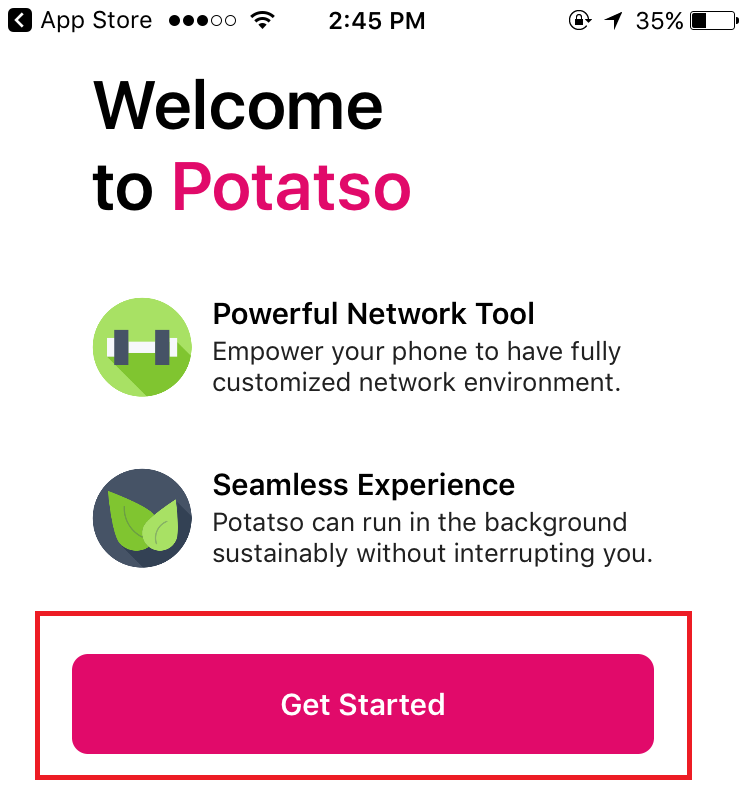
Step 3 Of 7
initial setup page , click ADD NOW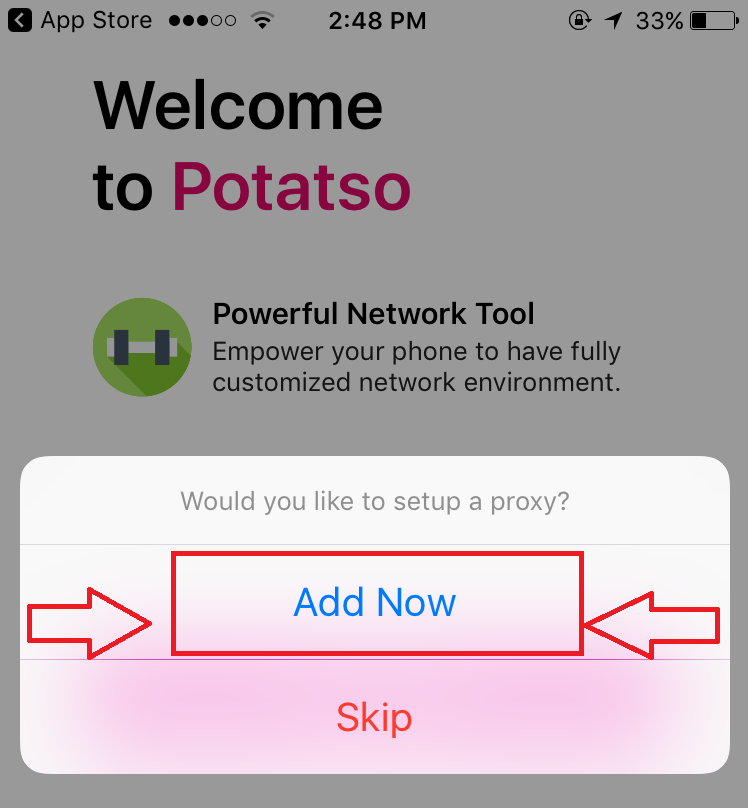
Step 4 Of 7
Initial Setup Page, click On Subscription Button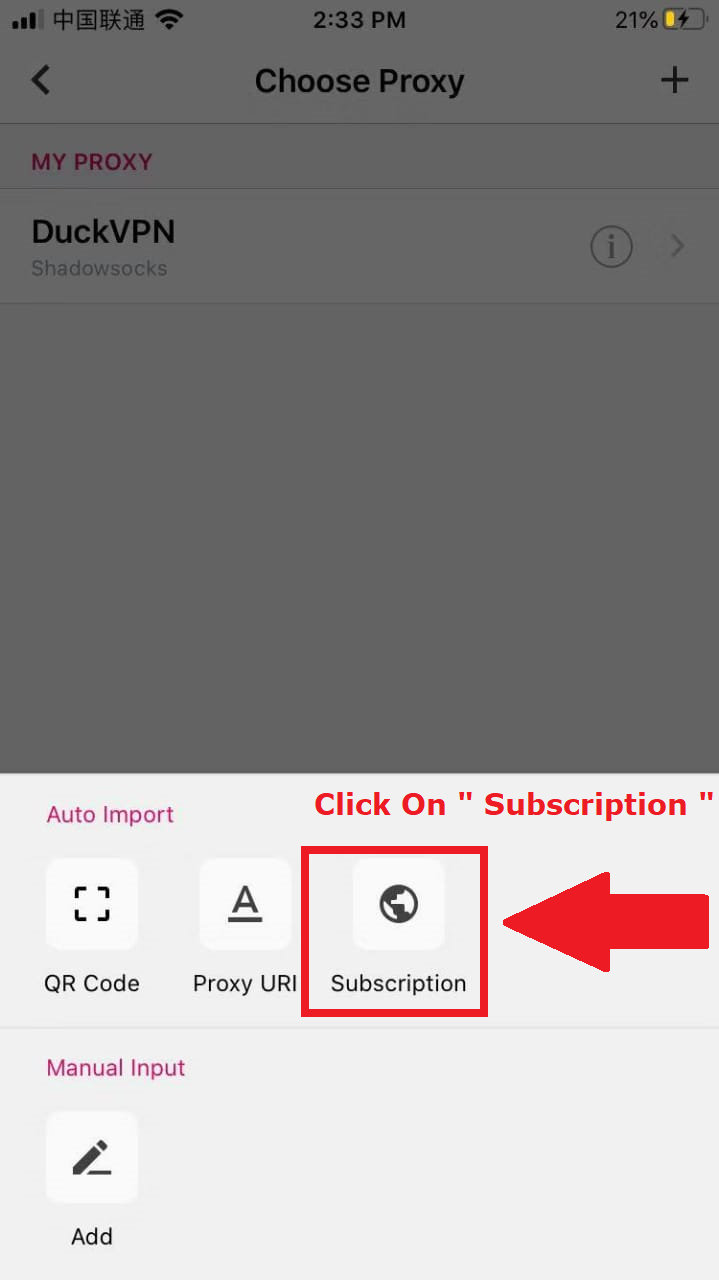
Step 5 Of 7
Enter URL Link of your account.
Dont have account URL LINK ? Click
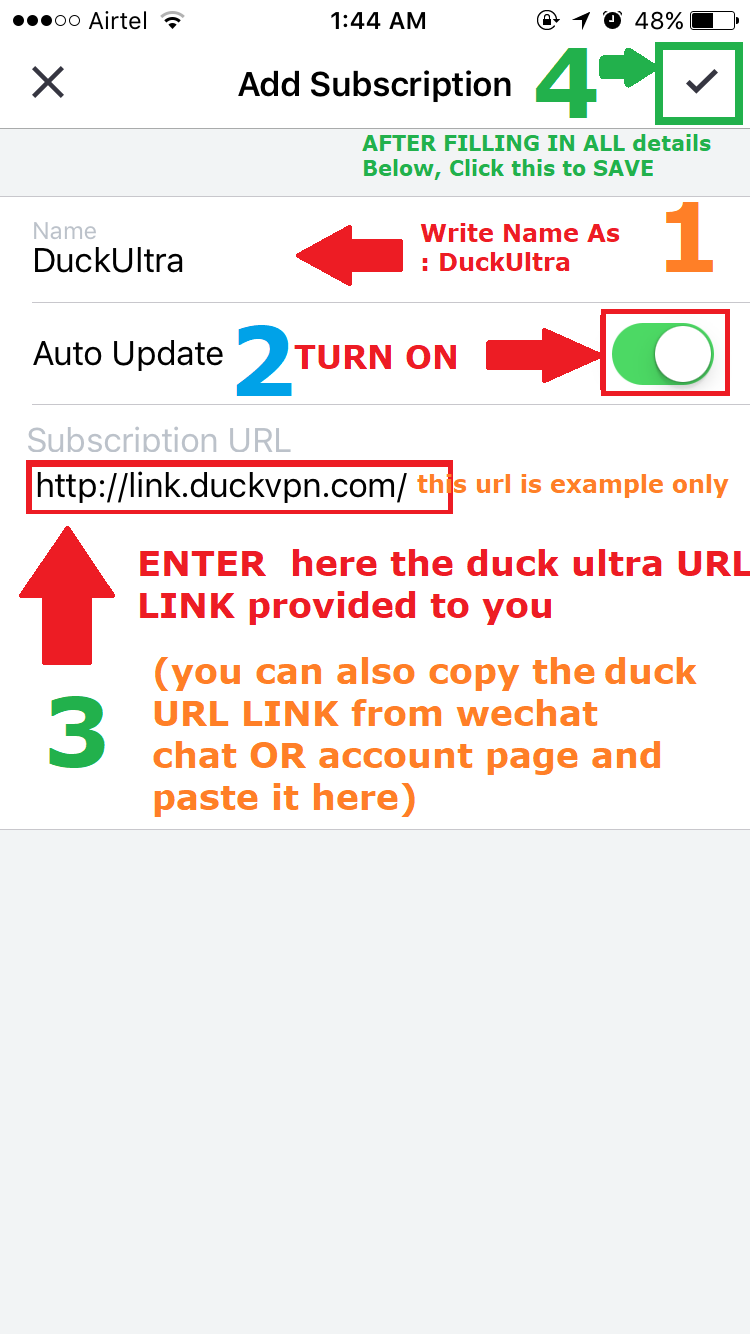
Step 6 Of 7
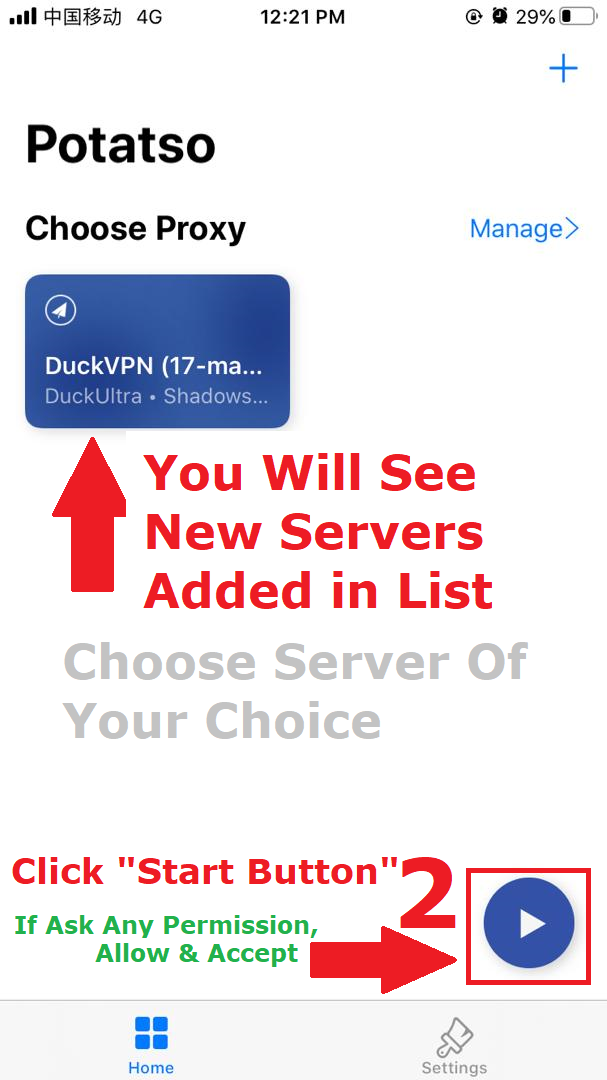
New servers will be added in the list, click on server of choice.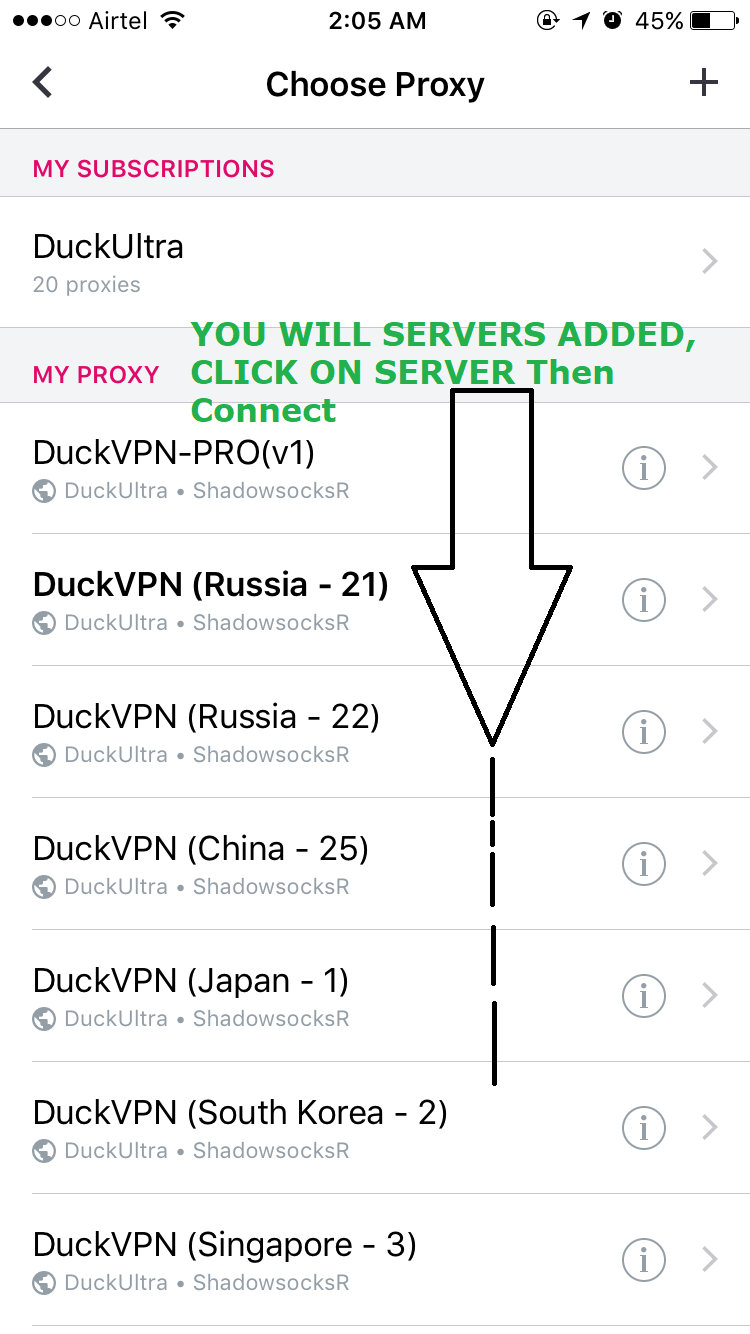
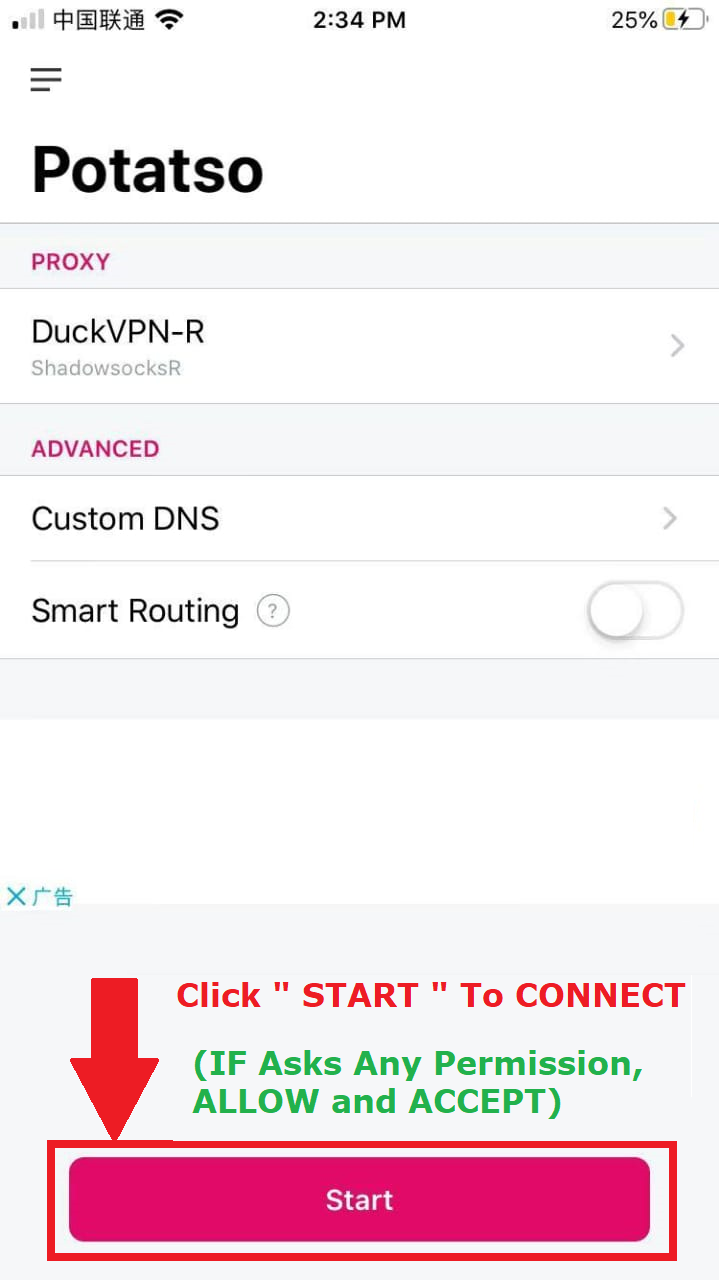
Step 7 Of 7
Click On Start Button To Connect.
If Ask Any Permission, ALLOW & ACCEPT
Below is the setting guide for newer version of potatso lite , it depends on your device version
Step 2 Of 7
Once Downloaded and Installed, Open App, click ADD A PROXY 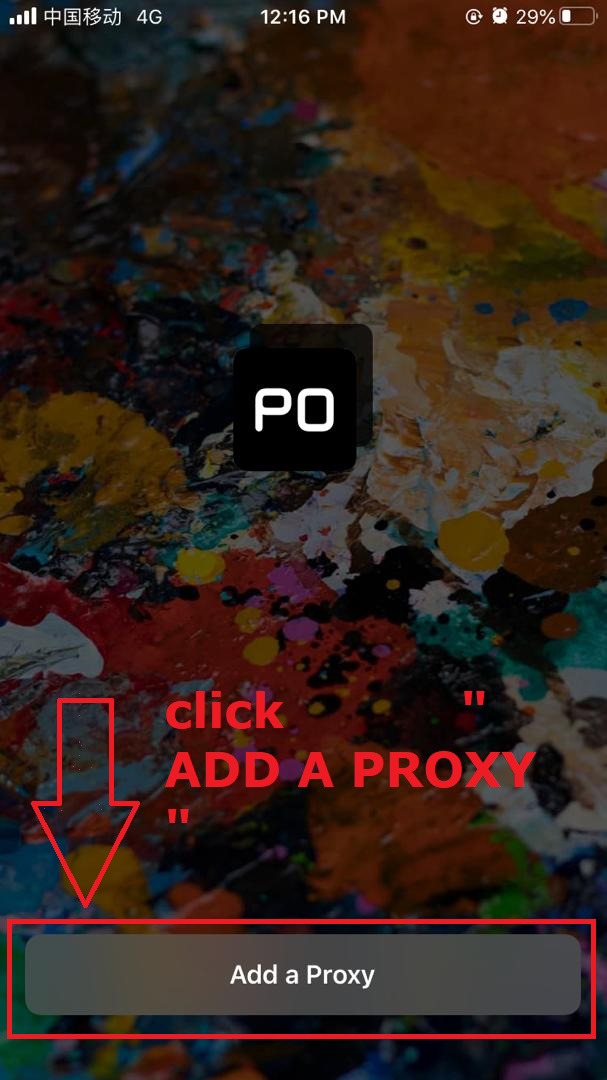
Step 3 Of 7
initial setup page , click SUBSCRIPTION
Step 5 Of 7
Enter URL Link of your account.
Dont have account URL LINK ? Click